Wallet passes
Drawn like Wallet, with the barcode rendered from its message, the back fields, and whether the signature checks out.
 Xamine
Get Xamine
Xamine
Get Xamine
Press space on a Wallet pass, an iOS build, a disk image, a log or a crash report and see what's inside. No unzipping, no mounting, no Terminal.
space to preview · ↑↓ to change file · esc to close Tap a file to preview it, like pressing space in Finder.
Every preview is native, fast, and reads like it belongs on a Mac: tags at the top, gray labels, disclosure triangles. Nothing leaves your machine.
Drawn like Wallet, with the barcode rendered from its message, the back fields, and whether the signature checks out.
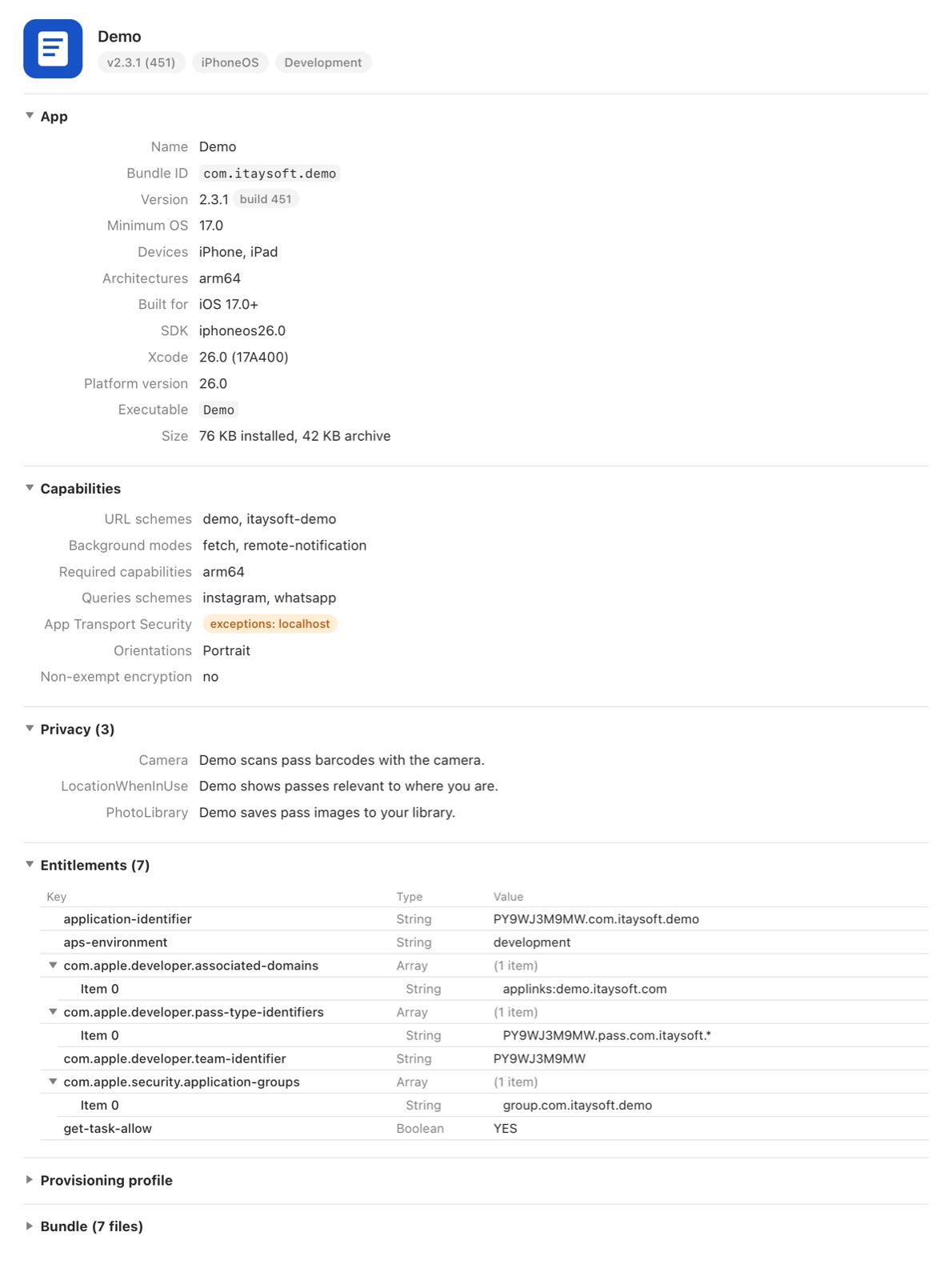
ipa, apk, apks and xcarchive: version, entitlements, capabilities, privacy strings, signing, provisioning profile, embedded frameworks.
Timestamps, levels and folded stack traces. Docker, logcat, logfmt, syslog and JSON Lines, with a plain-text switch.
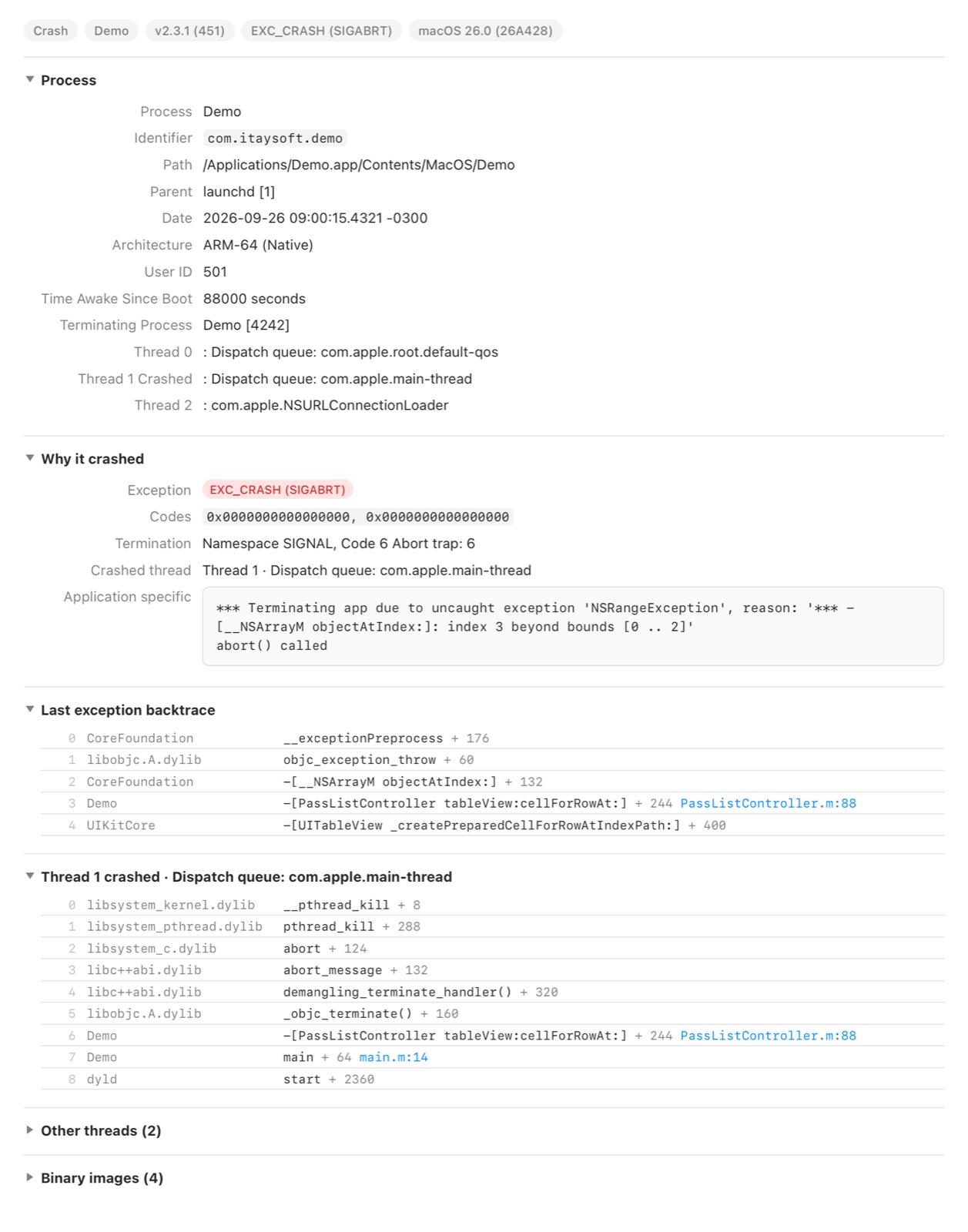
The exception, the crashed thread and the frames first, laid out like Xcode's Organizer. Hang reports and legacy .crash too.
zip, tar, gz, bz2, xz, dmg and iso as a Finder-style tree, with sizes and dates. Nothing gets extracted or mounted.
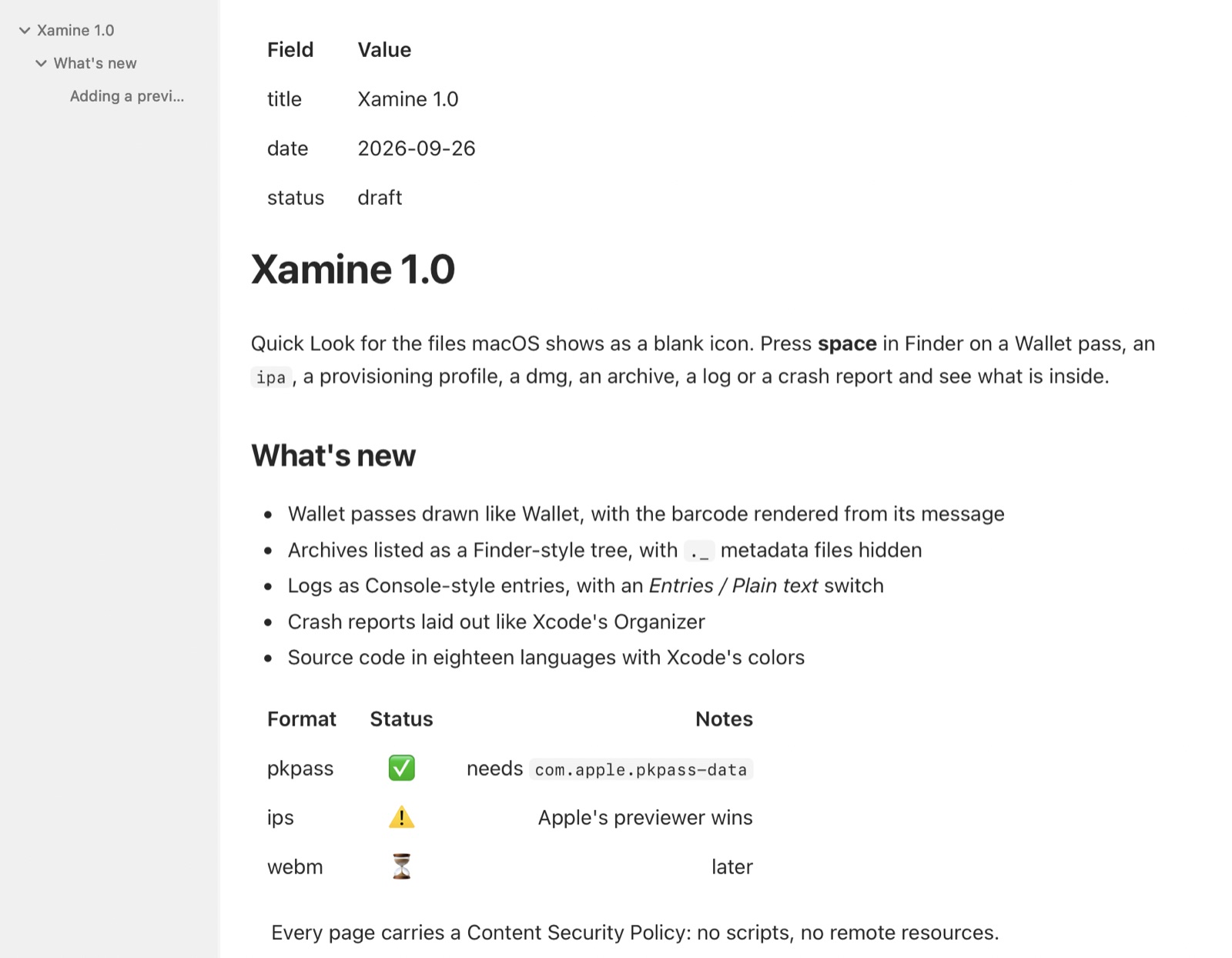
Rendered Markdown with a sections sidebar, pretty-printed JSON, and eighteen languages in Xcode's colors with line numbers.
⌘F searches inside the preview with a live match count. ⌘L jumps to a line. Peek-style, right in Quick Look.
Follows the system, or pick one. Previews remember where you scrolled the last time you opened the same file.
pkpass · ipa · xcarchive · dmg · iso · plist (XML and binary) · crash · hang
apk · apks
zip · tar · tgz · tar.gz · tbz · tar.bz2 · txz · tar.xz · gz · bz2 · xz
md · json · jsonl · log · diff · patch
sqlite · sqlite3 · db · sql
swift · m · mm · c · h · cpp · java · py · js · mjs · tsx · go · rs · rb · sh · zsh · yml · yaml · toml · php · lua
Quick Look never passes keystrokes to previews. Xamine can forward the few that matter, with your permission, while a preview is open. Nothing is stored.
| ⌘F | Find. Return jumps to the next match and hands the keyboard back; Esc closes the bar. |
| ⌘G ⇧⌘G | Next and previous match. |
| ⌘L | Go to line. |
| ⌘B | Show or hide the sections sidebar in Markdown. |
| ⌘+ ⌘− ⌘0 | Zoom. |
Xamine has no network access, no analytics and no accounts. Every page it renders carries a Content Security Policy that forbids scripts and remote loads, so a Markdown file can't phone home just because you looked at it. Keyboard forwarding is opt-in, uses macOS's Accessibility permission, and only forwards the shortcuts above while an Xamine preview is on screen.
Read the privacy policy →Quick Look only knows the formats Apple ships previewers for. A pkpass is a zip with a JSON inside, an ipa is a zip with an app inside, a crash report is structured text. Xamine adds Quick Look extensions that understand them, so pressing space just works.
Switch the two Xamine extensions on under System Settings › General › Login Items & Extensions › Quick Look. The app's welcome tour takes you there and tests the previews for you.
Finder keeps the keyboard while a Quick Look panel is open, so no extension can see your keystrokes. To make ⌘F and ⌘L work inside a preview, Xamine watches for those shortcuts and passes them to its own extension. macOS only allows that with Accessibility access, and only grants it to apps you add yourself. It's optional: previews work without it.
No. It reads them, renders a page, and throws the page away when the preview closes. Archives are listed without extracting, databases are opened read-only, disk images are never mounted.
.ips crash logs and .mobileprovision profiles: Apple's own previewers claim those and win. Files without an extension (Dockerfile, Podfile, Gemfile) and .entitlements, which macOS already previews. WebM video is on the list for later.
Free on the Mac App Store. Requires macOS 26 or later.
Download on theMac App Store